1. Decide what you want to find out
Start with a specific task: identify the manufacturer, model and serial number, for example. That gives you something concrete to check after the showing. A broad question about whether the equipment is ‘good’ leaves much more room for assumptions.
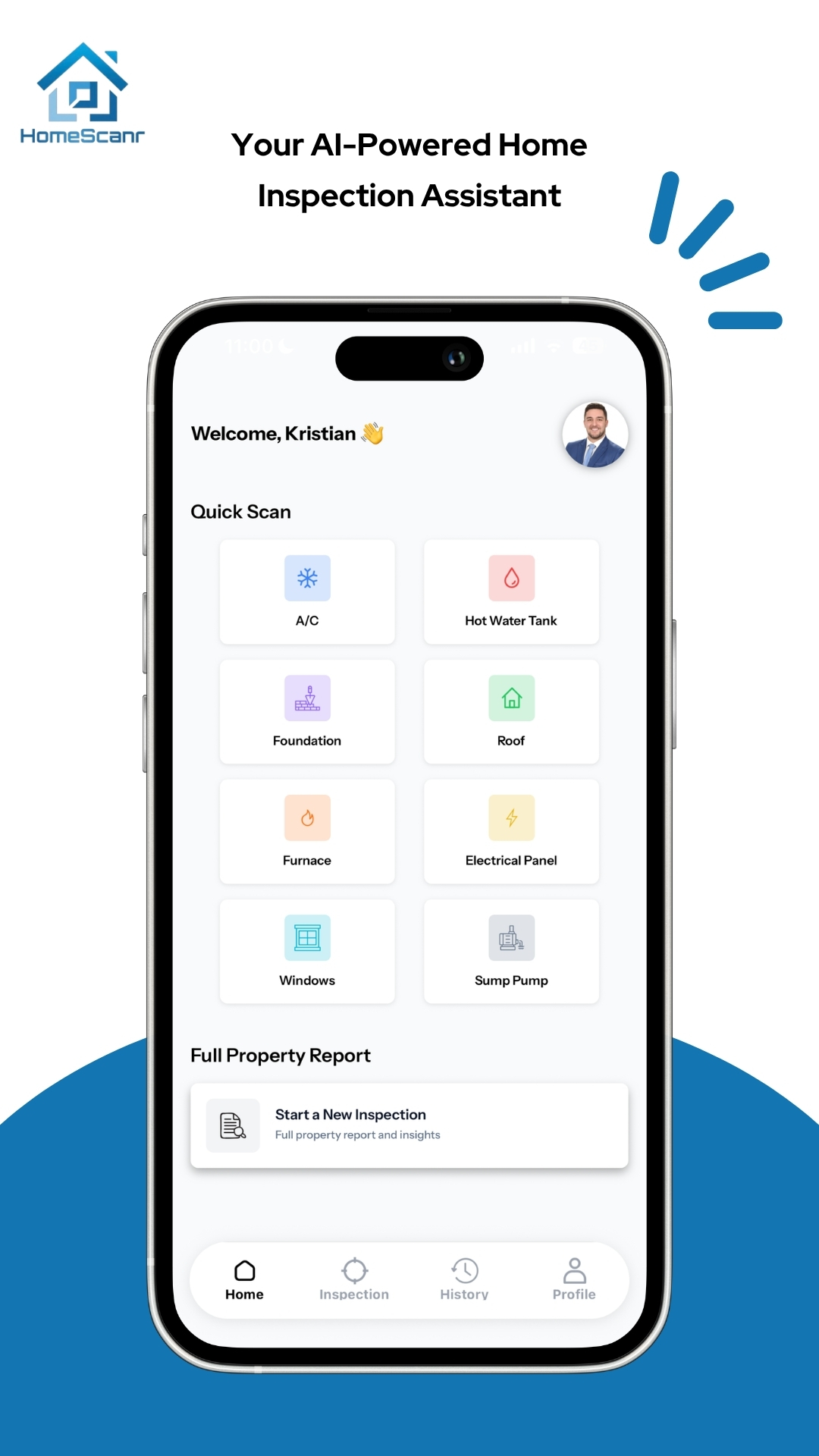
In HomeScanr, choose Hot Water Tank under Quick Scan. A full property report is useful for a broader overview; this walkthrough stays with one component and one buyer question.
2. Capture context and the complete label
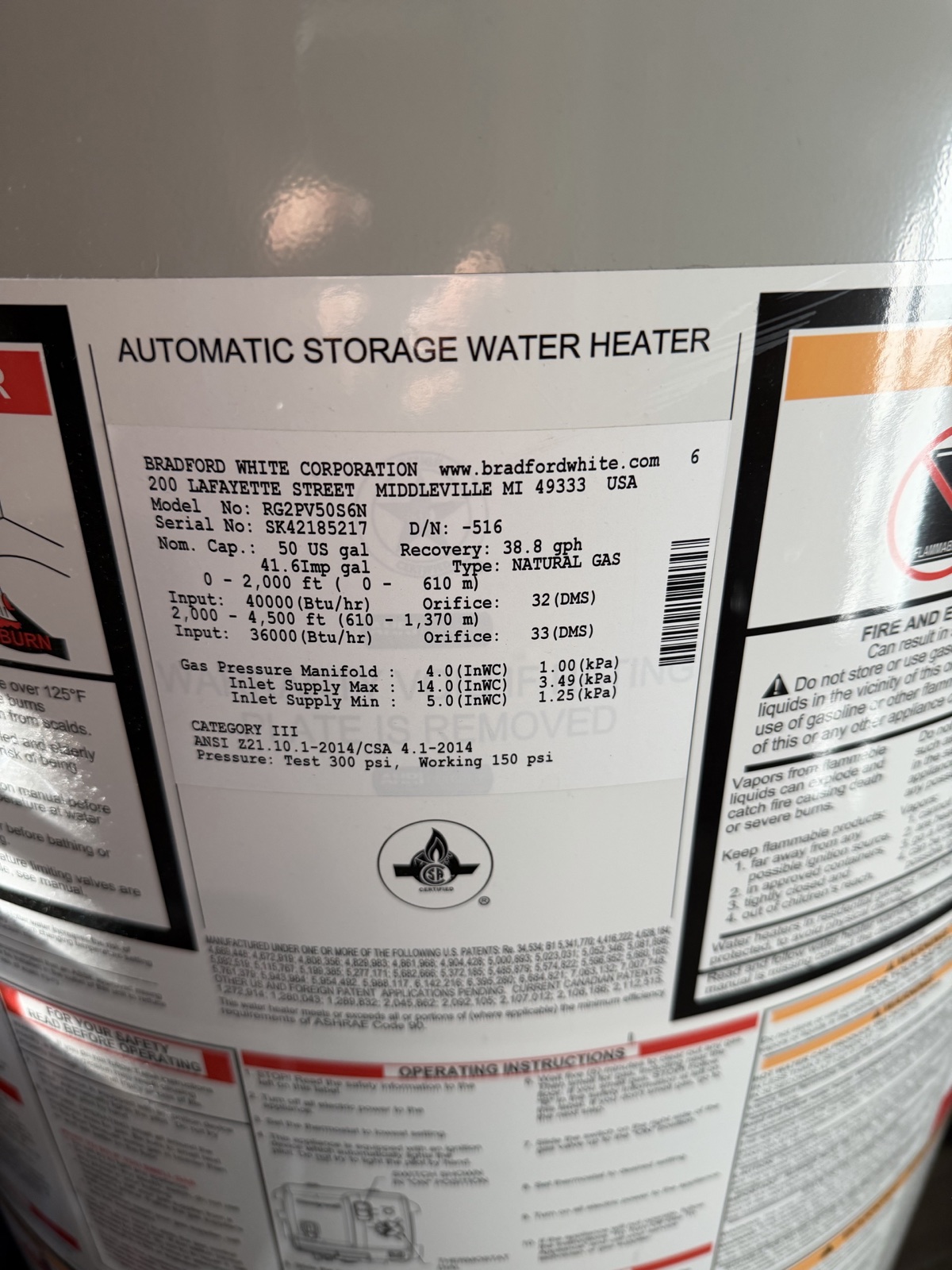
Take a wider photo of the unit, then a close-up of the rating plate. Bradford White confirms that its model and serial numbers are on that plate. Other manufacturers can use different layouts, so use the guidance for the brand in front of you.
Include the manufacturer name and the complete model and serial fields. Zoom in on your saved photo before moving on. If glare hides a character, retake it from a slightly different angle. Keep your original photo so you can check the text later. Photograph only what is accessible without moving equipment, removing covers or operating controls.
3. Ask a question you can check
Add the relevant photos using Camera or Gallery. In the Question field, try this example: ‘What manufacturer, model and serial number can you read from this water-heater label? Flag unclear characters and list what I should verify with the owner.’
This example prompt asks for a readable record and a follow-up list. It does not assume that a photograph can establish the equipment’s service history or how well it operates. HomeScanr’s Quick Scan provides AI-assisted insights; review its response alongside your original images.
4. Separate the label from the unknowns
Compare each reported character with the photo. If a letter or digit is unclear, leave it unresolved and request another image. When you need a manufacture date, consult that manufacturer’s decoding guidance using the checked serial number. Bradford White publishes its own age guidance; a code from one brand should not be applied to another.
Keep three short entries in your own notes: ‘Visible on label,’ ‘AI-assisted interpretation,’ and ‘Still to verify.’ A manufacture date answers when equipment was made. Installation and service history need their own supporting records.
5. Leave with a useful next question
A practical follow-up might be: ‘Can the owner provide the installation invoice and most recent service record for the unit shown in these photos?’ Keep the property address with your notes so the question reaches the right person.
Ask a qualified professional to evaluate condition, installation or operating concerns. HomeScanr supports preparation and clearer conversations; it does not replace a certified home inspection. The next step is to resolve the specific unknowns you recorded.
Sources & further reading
- Bradford White: where to find model and serial numbers ↗Checked Nov 3, 2026
- Bradford White: rating-plate location and manufacture-age guidance ↗Checked Nov 3, 2026
- HomeScanr: current product description on the App Store ↗Checked Nov 3, 2026
Product walkthrough. This is an illustrative workflow and example prompt, not a customer testimonial or a verified scan result. Prepared with AI assistance using HomeScanr’s product information and the linked manufacturer sources. The owner supplied the label photograph and authorized editorial use.